Clients configuration
Clients represent the applications that need to get authorized access to a restricted HTTP service (Resource Server). Boruta helps them to obtain tokens following OAuth 2.0 and OpenID Connect specifications so that they can present them to prove their access rights.
Architecture
For each client you can configure a specific identity provider, that will be associated to a backend, helping to provide both authorization and authentication for them. This way, each client will have a custom interface as mean of authentication for the end-users.

Have a look at identity provider configuration
Have a look at backend configuration
Manage through User Interface
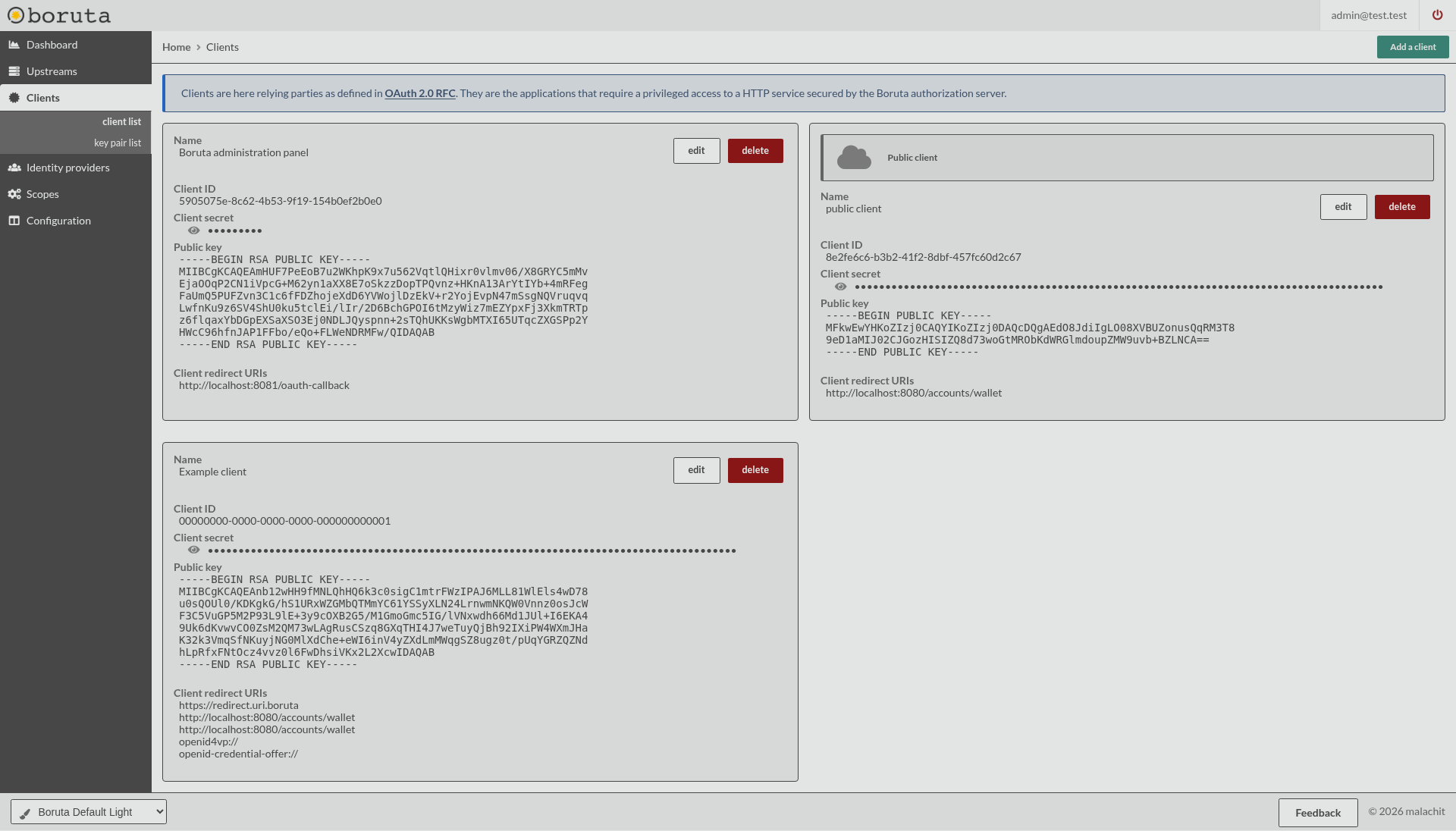
The Administration interface gives the ability to create, update and delete clients. Clients are listed through the Clients > client list section in the sidebar menu.
Manage through API
All client operations are accessible through a REST API following the below description. All client management endpoints are protected with a Bearer token that can be obtained with any OAuth flow. In order to get access, you need to have an access token with the private scope clients:manage:all granted.
Have a look at the API documentation
Static configuration
Clients can be loaded from static configuration files with the client section. Use identity_provider.id to bind a client to an identity provider.
---
version: "1.0"
configuration:
  client:
    - id: "00000000-0000-0000-0000-000000000003"
      name: "Example client"
      secret: "secret"
      confidential: true
      public_client_id: "https://client.example.com"
      check_public_client_id: true
      identity_provider:
        id: "00000000-0000-0000-0000-000000000002"
      redirect_uris:
        - "https://client.example.com/callback"
      authorized_resources:
        - "https://api.example.com"
      authorized_scopes:
        - name: "profile"
      supported_grant_types:
        - "authorization_code"
        - "client_credentials"
        - "refresh_token"
      token_endpoint_auth_methods:
        - "client_secret_basic"
      authorize_scope: true
      pkce: true
      public_refresh_token: false
      public_revoke: false
      enforce_dpop: false
      enforce_tx_code: false
      access_token_ttl: 3600
      refresh_token_ttl: 86400
      authorization_code_ttl: 60
      authorization_request_ttl: 600
      id_token_ttl: 3600
      id_token_signature_alg: "HS256"
      token_endpoint_jwt_auth_alg: "HS256"
      userinfo_signed_response_alg: "HS256"
      jwks_uri: "https://client.example.com/.well-known/jwks.json"
      id_token_kid: "client-key"
      logo_uri: "https://client.example.com/logo.png"
      response_mode: "post"
      metadata:
        application_type: "web"
Have a look at configuration files
Navigation
- Top level configuration - General configuration
- Client and end-user authentication - Authentication
- Securing the flows - Security
- Restricting the flows - Grant types