Configure scopes | Roles
Roles are defined as a set of scopes which helps to give access to them more easily at backend or user levels.
Role parameters
Name is the name of the role, helping to identify it both in the administration interface than in user claims.
Add a scope adds a scope to the role giving the list of accessible scopes.
Manage through User Interface
The Administration interface gives the ability to create, update and delete clients. Clients are listed through the Scopes > scope list section in the sidebar menu.
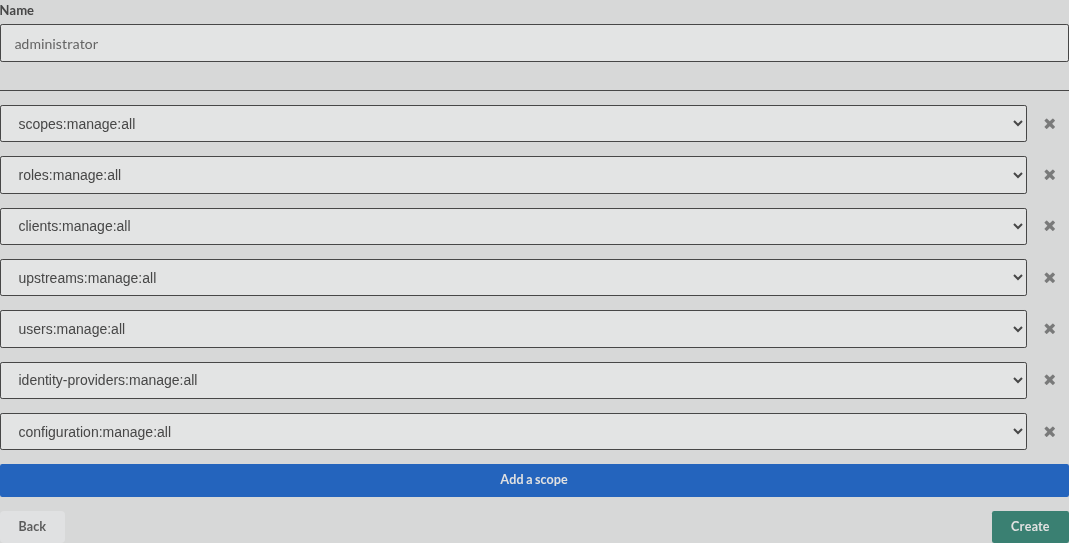
Manage through API
All client operations are accessible through a REST API following the below description. All client management endpoints are protected with a Bearer token that can be obtained with any OAuth flow. In order to get access, you need to have an access token with the private scope scopes:manage:all granted.
Have a look at the API documentation
Static configuration
Roles can be loaded from static configuration files with the role section. Scopes are assigned by id.
---
version: "1.0"
configuration:
  scope:
    - id: "00000000-0000-0000-0000-000000000004"
      name: "profile"
      label: "Profile"
      public: true
    - id: "00000000-0000-0000-0000-000000000005"
      name: "api:write"
      label: "Write API data"
      public: false
  role:
    - id: "00000000-0000-0000-0000-000000000020"
      name: "administrator"
      scopes:
        - id: "00000000-0000-0000-0000-000000000004"
        - id: "00000000-0000-0000-0000-000000000005"
Have a look at configuration files